About this free AI tool
TKCORE AI lists this as a free tool in the directory: overview, use cases, a short tutorial, and FAQs—plus links to related tools and blog guides.
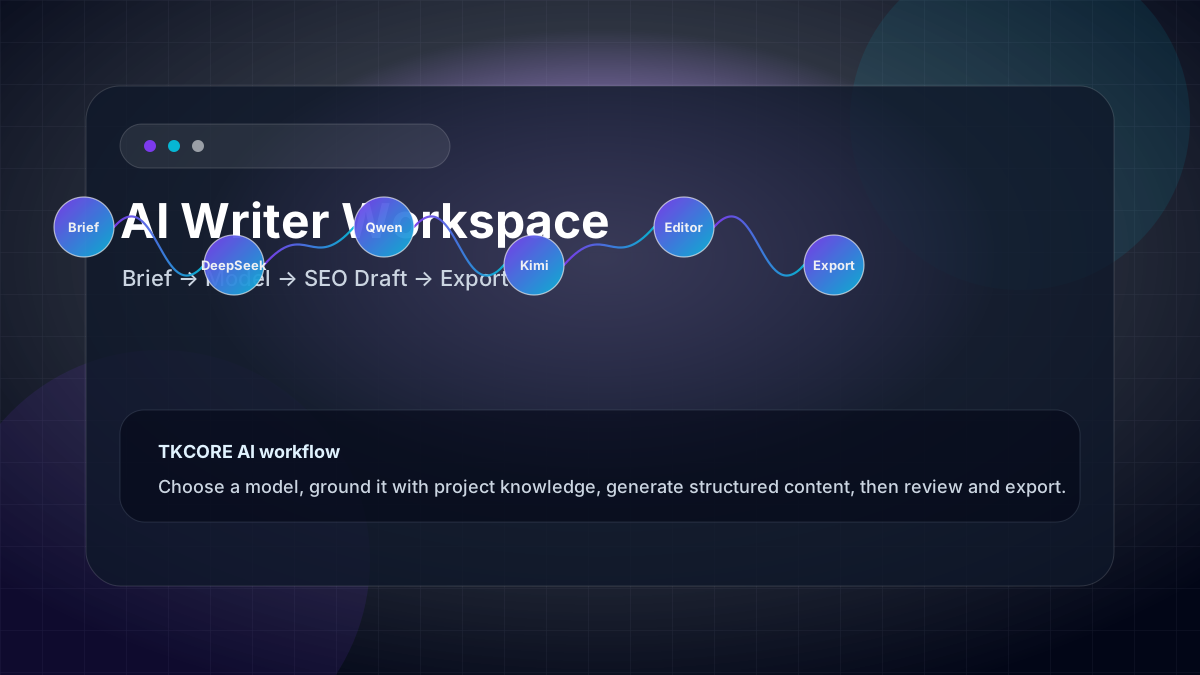
TKCORE SEO Blog Writer turns a title, outline, and keyword hints into a publishable article draft—H2 structure, intro hook, body sections, and conclusion. Set tone, length, point of view, and optional SEO keywords in Advanced options, compare DeepSeek, Qwen, Kimi, and other models, then export HTML, Word, or PDF.
Content teams searching for an SEO blog writer usually need more than a chat box: they need repeatable briefs, scannable headings, internal-link placeholders, and exports stakeholders can review. This page encodes those expectations in the form so every run starts from the same production brief—not from retyping instructions in a thread that forgets your style guide.
Pair with AI Writer for pillar pages, FAQ Generator for support content, and TKCORE Projects knowledge files for brand voice, product facts, and compliance notes on every draft.
Features
- SEO-aware brief — optional keyword field, subheading plan, tables/quotes toggles, and length bands from short posts to long guides.
- Article structure — title, introduction, H2 sections, and conclusion tuned for web publishing—not loose chat paragraphs.
- Multi-model drafting — compare clarity and depth across DeepSeek, Qwen, Kimi, GLM, MiniMax, and TKCORE models on the same outline.
- Tone & POV controls — formal, conversational, persuasive, and first/second/third person without rewriting the prompt each time.
- Live preview & word count — edit in the rich result panel before you hand off to CMS or editors.
- Exports — copy, HTML, Word (.doc), or PDF from the same workspace.
- Knowledge context — attach product sheets and style guides via project knowledge files.
When to use it
- Informational SEO posts — “how to” and explainer articles with clear H2s and natural keyword placement.
- Product-led blogs — feature announcements, comparison posts, and use-case stories from bullet briefs.
- Agency retainers — one URL per client voice when knowledge files encode tone and forbidden claims.
- Newsletter-to-blog repurposing — expand a short email into a longer on-site article with shared facts.
- Content sprints — batch five outlines Monday, export Word drafts for editor review by Wednesday.
Problems, value, and outcomes
Problems it helps solve: thin posts that never rank, or chat drafts with no headings and no export path. Value: a dedicated SEO blog writer URL with structure, model choice, and document exports—less reformatting than generic chat.
Always fact-check statistics, legal claims, and YMYL topics before publish. AI drafts are starting points, not final journalism.
How it works
How to use SEO Blog Writer (step-by-step)
- Paste your brief — title, angle, audience, and must-include sections. Use Try sample to explore the UI.
- Add SEO hints — optional primary keyword, subheading plan, and length band in Advanced options.
- Pick language & model — faster models for outlines; stronger models for final structure and intros.
- Generate — review headings, intro hook, and CTA in the preview panel.
- Edit & export — refine for brand voice, add internal links, export Word or PDF for stakeholders.
Example outcome
Case study (illustrative): a B2B SaaS team targets “remote onboarding checklist.” They paste a five-bullet outline, set medium length and conversational expert tone, generate on Qwen and DeepSeek, merge the stronger H2 plan, add two customer quotes manually, and export .doc for legal review before CMS upload.
Examples
Brief example
Blog: “5 heat-pump myths homeowners believe”—informational intent; H2 per myth; friendly expert tone; ~900 words; keyword “heat pump rebate” once in intro and once in a myth section; soft CTA to calculator.
Expected output shape
Title, meta-friendly intro, five H2 sections with short paragraphs, conclusion with next step—not a single undifferentiated blob.
Reusable templates
SEO article brief
Topic: [keyword + intent]. Audience: [who]. H2 plan: [1–6 sections]. Tone: [voice]. Length: [word band]. Must include: [facts, links]. Avoid: [claims, jargon]. CTA: [soft/hard].
Editor review checklist
Verify facts and dates; check keyword in title/H2 naturally; add internal links; improve intro hook; confirm CTA matches funnel stage; run plagiarism/originality check before publish.
FAQ
- What is an SEO blog writer?
- An SEO blog writer helps you draft search-friendly articles—clear headings, intent-matched intros, and scannable sections—from a structured brief. TKCORE Blog Writer adds model choice, keyword hints, and Word/PDF export in one workspace.
- How is Blog Writer different from AI Writer?
- Blog Writer optimises for article-shaped output (title, sections, web conclusion) with SEO-oriented fields. AI Writer is a broader long-form workspace for guides, landing copy, and mixed formats with richer export options.
- Can I add SEO keywords?
- Yes. Use the optional SEO keywords field and subheading plan in Advanced options. Still write for humans first—avoid keyword stuffing.
- Can I export to Word or PDF?
- Yes. After generation, use the Export toolbar for HTML, Word (.doc), PDF, or plain text when output is available.
- Which model should I pick?
- Use a fast model to test outlines; use stronger models for nuanced intros and technical explainers. Compare two runs on the same brief when quality matters.
- Do I need an account?
- You can explore the page UI. Sign-in may be required when your deployment enables authenticated generate calls—the same pattern as other TKCORE writing tools.